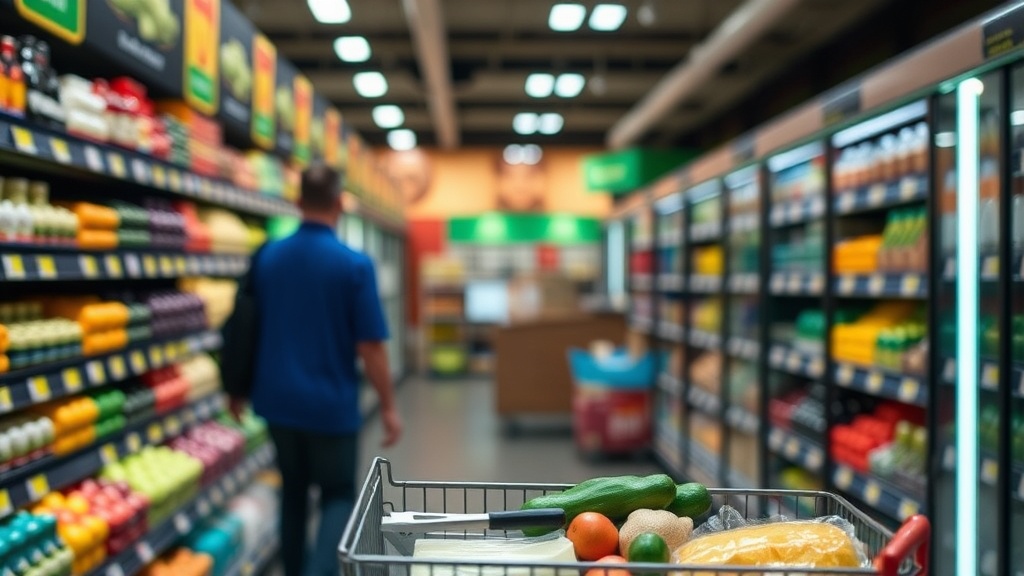
7 Grocery Store Apps That Give You Instant Cash Back

Ibotta for Direct Rebates
Fetch Rewards for Easy Scanning
Upside for Gas and Groceries
Shopkick for Walking Rewards
Rakuten for Online Grocery Orders
Store-Specific Loyalty Apps
PayPal Rewards for Grocery Purchases
The average American household spends over $1,500 a year on groceries, yet most people leave roughly 5% to 10% of that value on the table by failing to claim digital rebates. This post breaks down seven specific mobile applications that provide direct cash back on your grocery purchases. We'll look at the math behind the savings, the payout structures, and which apps offer the highest return on your time.
What Are the Best Grocery Apps for Cash Back?
The best grocery apps for cash back are those that integrate directly with your receipt scanning or link to your loyalty cards to automate the rebate process. You don't always have to scan a physical receipt; many of these platforms use digital receipt linking to ensure you never miss a cent. I categorize these into two groups: receipt-scanning apps and direct-store loyalty apps.
If you want to treat your grocery shopping like a professional procurement process, you need to look at the ROI of your time. Scanning a receipt takes 30 seconds. If that receipt yields $0.50, your "hourly rate" for that task is $100 an hour. That's a decent margin for a side hustle, but only if you aren't spending ten minutes chasing a nickel.
1. Ibotta
Ibotto is a receipt-based rebate app that offers cash back on specific branded products from retailers like Walmart, Kroger, and Target. It is widely considered the gold standard for grocery rebates because of its sheer volume of offers. You find an offer in the app, buy the item, and then scan your receipt to get paid.
The math here is simple: you are essentially getting a discount on a specific SKU (Stock Keeping Unit). If you see a $1.00 rebate on a specific brand of Greek yogurt, that is a 100% return on the effort of clicking a button. Just don't get caught in the trap of buying products you don't actually need just to hit a rebate goal. That's a net loss for your household budget.
2. Fetch Rewards
Fetch Rewards is a simpler, more automated alternative to Ibotta. Instead of hunting for specific brand-name deals, you scan any receipt from any retailer—including gas stations and pharmacies—to earn points. These points can be redeemed for gift cards to retailers like Amazon, Starbucks, or Target.
It's a low-friction way to capture value. If you're already keeping receipts in your car or on your kitchen counter, you might as well digitize them. It's not going to make you rich, but it's a steady stream of "found money" for your household. (I use this for my coffee and gas receipts specifically.)
3. Rakuten
While often thought of as a general shopping tool, Rakuten provides significant cash back when you shop at grocery delivery services like Instacart or through specific online grocery retailers. This is a way to stack savings. You get your grocery store's loyalty discount, plus the manufacturer's digital coupon, plus the Rakuten cash back. That's how you drive the price floor down.
If you're using Instacart for your weekly deliveries, checking Rakuten first is a non-negotiable step in my workflow. It's a simple way to add a layer of profit to your weekly food spend.
How Much Can You Save with Grocery Apps?
Most users can realistically save between $15 and $40 per month by using a combination of these apps effectively. The total savings depend heavily on your "stacking" ability—the skill of combining a store sale, a digital coupon, and a third-party rebate app simultaneously. If you only use one app, you're leaving money on the table.
Let's look at a real-world example of a "stack" for a single item: a bottle of Tide Laundry Detergent.
| Step | Action | Estimated Value |
|---|---|---|
| Retail Price | Standard Shelf Price | $12.99 |
| Store Sale | Weekly Circular Discount | -$2.00 |
| Digital Coupon | Manufacturer Coupon (via App) | -$3.00 |
| Rebate App | Ibotta or Fetch Offer | -$1.50 |
| Final Net Cost | Your Actual Out-of-Pocket | $6.49 |
In this scenario, you've reduced the cost by 50%. That is the difference between a shopper and a person who just buys what's on the shelf. To get better at this, you should read my guide on finding high-margin grocery rebates. It's a foundational skill for anyone serious about a grocery budget.
4. Upside
Upside is primarily known for gas, but they have expanded significantly into the grocery space. It works by offering cash back on your total grocery receipt at participating locations. This is a "macro" play rather than a "micro" play. Instead of looking for a specific brand of peanut butter, you are looking for a percentage back on the entire transaction.
This is perfect for the person who doesn't have the time to hunt for individual items. You just pay, scan, and the money hits your account. It's a high-efficiency, low-effort way to claw back a few dollars every week.
5. Shopkick
Shopkick is a bit different. It's a gamified app where you earn "kicks" for checking in at certain locations or scanning certain products. It feels a bit like a game, but the rewards are real. You can exchange kicks for gift cards. It's a way to turn the chore of grocery shopping into a small revenue-generating activity.
It's worth noting that Shopkick requires more active engagement. You have to actually interact with the app while you are in the store. If you're a "set it and forget it" type of person, this might feel like too much work—but for a disciplined household CFO, it's just another tool in the kit.
6. Kroger/Target/Walmart Apps
These are the official store apps, and they are arguably the most important. They aren't "third-party" cash back apps, but they provide the digital coupons that make the other apps work. You cannot effectively use Ibotta or Fetch if you aren't also using the store's own digital ecosystem. For example, the Target app allows you to clip "Circle" offers that can be stacked with external rebates.
If you aren't using the store's own app, you are essentially shopping with one hand tied behind your back. These apps are the source of the "base" discount.
7. PayPal Rewards
If you use PayPal for your online grocery orders or through certain delivery services, you can often find "offers" in the PayPal app. These are essentially cash-back boosts. If you see an offer for 5% back on a certain grocery brand, you've just added another layer to your stack. It's a subtle way to increase your ROI on every dollar spent.
- Identify your primary store: Start with the store-specific app (Kroger, Target, etc.).
- Check for brand-specific rebates: Open Ibotta or Fetch to see if your list items have deals.
- Scan everything: Even if you don't see an offer, scan the receipt to Upside or Fetch for a "catch-all" reward.
- Verify the math: Ensure your total "savings" doesn't exceed the actual value of the items—don't buy a $1 bag of chips just to get a $1 rebate.
The goal isn't to spend more time; it's to spend more effectively. If you spend three hours a week managing these apps to save $10, you are wasting your time. But if you spend 10 minutes a week to save $40, you've just given yourself a massive raise. That's how you manage a household like a business.